mpo11 Mobile App
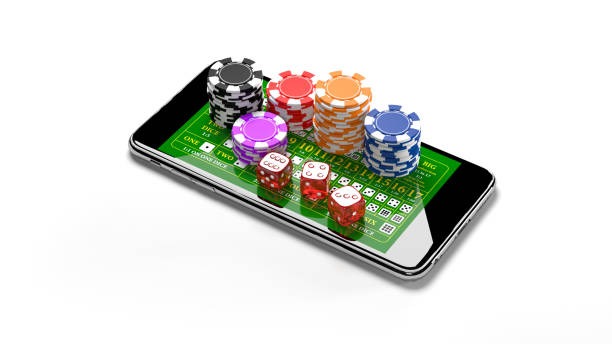
Mobile access to live-dealer tables, sportsbook markets, and slot games has become central to how users engage with online gaming platforms. Our mpo11 app brings live blackjack, roulette, baccarat, Dragon Tiger, and Sic Bo directly to your device, alongside coverage of Liga 1, MotoGP, and regional tournaments. Whether you prefer Android, iOS, or web-based access, we at mpo11 support multiple installation paths to suit your device and network conditions.
- Installin
- LoginOTP Verification
- SHA256 Match
- DownloadAPK
The shift toward mobile-first gaming reflects broader adoption of smartphones across Indonesia and Southeast Asia. We recognize that many users access mpo11 during commutes, breaks, or from locations where desktop access is impractical. Our app and web-app options are designed to deliver the same live-dealer experience, payment flexibility, and account management tools available on desktop, with optimizations for smaller screens and variable connectivity.
Account setup, deposit via e-wallet, mobile banking, local payment, online payment, e-wallet, mobile banking, local payment, online payment, e-wallet, or mobile banking, and withdrawal requests all function seamlessly on mobile. We at mpo11 ensure that your account security, KYC verification, and transaction history remain accessible and protected across all platforms. This guide walks through installation, device compatibility, and troubleshooting for Android, iOS, and web access.
Installation paths on mpo11
We offer three primary ways to access mpo11 on mobile: Android APK download, iOS browser access, and a responsive web app. Each path has distinct advantages depending on your device, storage capacity, and preference for app-store versus direct installation.
Installation options
- Android APK: direct download and installation on Android 7.0 or later
- iOS: browser-based access via Safari or Chrome on iOS 12 or later
- Web app: responsive design works on any modern mobile browser

Android APK installation
Android users can download the mpo11 APK directly from our platform. The installation process requires enabling "Unknown Sources" in your device settings, a standard security step for apps distributed outside the Google Play Store. Once enabled, the APK installs like any other app and appears on your home screen. We at mpo11 sign our APK with a verified certificate to ensure authenticity and protect against tampering.
iOS and web access
iOS users access mpo11 through Safari or Chrome by visiting our domain. The responsive design adapts to iPhone and iPad screens, and you can add mpo11 to your home screen as a web app shortcut for faster access. No app-store approval is required, and updates deploy instantly without waiting for app-store review cycles. Web access also works on Android devices that prefer not to install the APK.
Getting started: step-by-step
- Download: For Android, download the mpo11 APK from our platform; for iOS or web, open Safari or Chrome and navigate to mpo11.bet.
- Install: On Android, enable Unknown Sources in Settings, then tap the APK file to install; on iOS or web, proceed directly to registration.
- Register: Create your account with email, username, password, mobile number, and identity verification documents.
- Deposit and play: Fund your account via DANA, e-wallet, mobile banking, local payment, online payment, e-wallet, or bank transfer, then access live tables and sportsbook.
App versus browser experience
The mpo11 Android app offers offline caching of game assets, faster load times on repeat visits, and push notifications for live-table updates and promotional announcements. The app also integrates with your device's native payment methods and biometric authentication for account login. Browser access, by contrast, requires no installation and updates automatically; it works identically across Android and iOS, and you maintain full control over data storage and permissions. Both paths deliver the same live-dealer video quality, sportsbook odds, and account management features. Choose the app for convenience and speed; choose the browser for flexibility and minimal device footprint.

Device compatibility
The mpo11 app requires Android 7.0 or later; most devices from 2016 onward meet this threshold. iOS users need iOS 12 or later, covering iPhone 5s and newer models. Web access works on any device with a modern browser (Chrome, Safari, Firefox, Edge) released within the past three years. If your device runs an older operating system, browser access remains available as an alternative. We at mpo11 regularly test compatibility across common device models and screen sizes to ensure consistent performance.
Troubleshooting installation issues
If the Android APK fails to install, verify that Unknown Sources is enabled in your device settings under Security or Apps. Some devices require additional steps: check that your device storage has at least 100 MB free space, and ensure the APK file downloaded completely (check file size against our website). If you encounter a certificate warning, this is normal for direct APK installation; our certificate is verified and safe. For iOS or web users experiencing slow load times, clear your browser cache and cookies, disable browser extensions, and check your network connection. If live-dealer video streams buffer, reduce video quality in the app settings or move closer to your Wi-Fi router.
Data, permissions, and account security
The mpo11 app requests permissions for camera access (for KYC document upload), microphone (for live-dealer chat), location (optional, for regional payment routing), and storage (for offline caching). You control each permission individually through your device settings and can revoke them at any time. We at mpo11 encrypt all account data in transit and at rest, and we do not share your personal information with third parties except as required by law or for payment processing. Your login credentials are protected by industry-standard encryption, and we recommend enabling biometric authentication (fingerprint or face recognition) on your device for faster, secure access. If you suspect unauthorized access, change your password immediately and contact our support team.
Tips and notes
Our services are available only where local law permits. Users are responsible for verifying that access and use comply with the laws of their own jurisdiction. We do not offer our services in jurisdictions where online wagering is prohibited.
When using mpo11 on mobile, keep your app or browser updated to the latest version to benefit from security patches and performance improvements. If you travel between regions or change your primary payment method, update your account details in the settings menu to ensure deposits and withdrawals process smoothly. For users in Jakarta, Surabaya, Bandung, Medan, or Semarang, payment options via local banks (BCA, e-wallet, mobile banking, local payment) and mobile wallets (online payment, e-wallet, mobile banking, local payment) are available to streamline funding. During peak hours such as Liga 1 match days or major esports tournaments, live-dealer tables may experience higher traffic; if you encounter delays, try refreshing your connection or switching to a different table.
We at mpo11 maintain standard security practices and subject all transactions to verification windows. Withdrawal requests are processed to your registered payment method within timeframes set by your bank or wallet provider, typically one to three business days. If a withdrawal appears delayed, verify that your account details match your payment method, that no pending verification holds remain, and that your chosen method is currently active. Our support team can assist with account queries, payment troubleshooting, and technical issues related to app installation or browser access.
For app installation, account access, or payment questions, reach out through the support contact form on our platform. We respond to inquiries during standard business hours.